I am completely new to nginx and I am asked to find a way to serve Map Tiles that are separated according to the zoom levels. The image file structure is like ~/data/images/7/65/70.png where 7 is the zoom level, 65 and 70 are the lon-lat values. The folder 65 contains many files such as 71.png, 72.png and etc.
I have installed Nginx properly and I can get Welcome to nginx message. I have followed the instructions in http://nginx.org/en/docs/beginners_guide.html and created the /data/www and /data/images directories. I have placed index.html file under /data/www and tile images under /data/images. Then I modified the configuration file by adding following lines in http tags:
server {
    location / {
        root /data/www;
    }

    location /images/ {
        root /data;
    }
}
After reloading the config file and entering localhost on the browser I can neither get the index.html file nor see the images.
What I am trying to do is to display the image when I enter something as:
http://localhost/1.0.0/basemap/7/65/70.png
- 7: folder indicating 7th zoom level
- 65: folder indicating the latitude
- 70.png: file indicating the longitude (folder 65 includes many png files)
What am I missing?


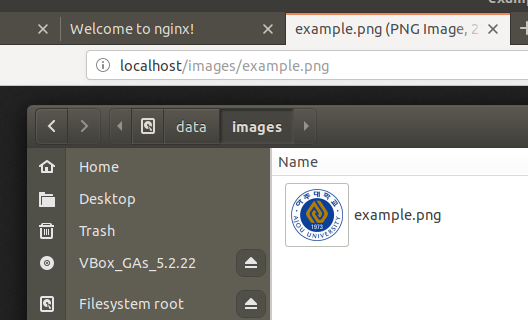
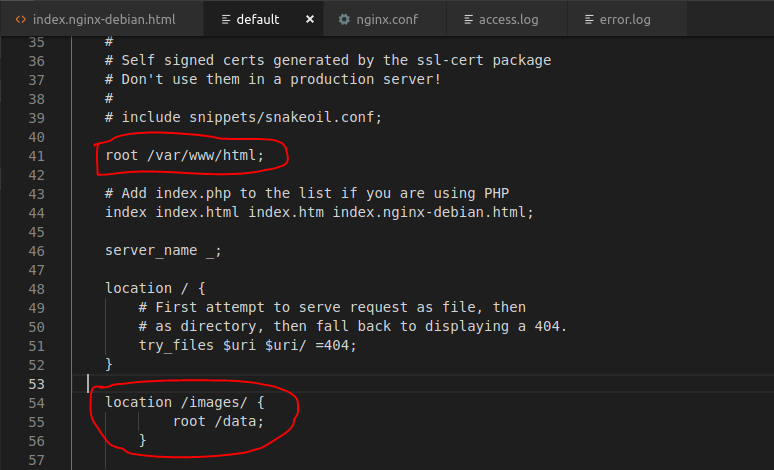


sites-enabledandsites-availablefolder inside/etc/nginx?/etc/nginxand both havedefaultfile inside. I also edited the OP, please check